Purpose
This guide explains how to download a Purchase Order (PO) in PDF or Word format and access the downloaded file later from the RedSky File Cabinet.
Prerequisites
Before downloading a Purchase Order, ensure that:
- The Purchase Order has already been created in RedSky.
- You have access to the Purchase Order from the Dashboard or PO List.
- You have the necessary permissions to view and download Purchase Orders.
Step 1: Open the Purchase Order
You can access the Purchase Order from:
- Dashboard
- Purchase Order (PO) List
To open a Purchase Order:
- Navigate to the Dashboard or PO List.
- Locate the required Purchase Order.
- Click the PO number to open the Purchase Order details page.
Step 2: Open Download Options
Once the Purchase Order is open:
- Locate the Download icon in the upper-right corner of the screen.
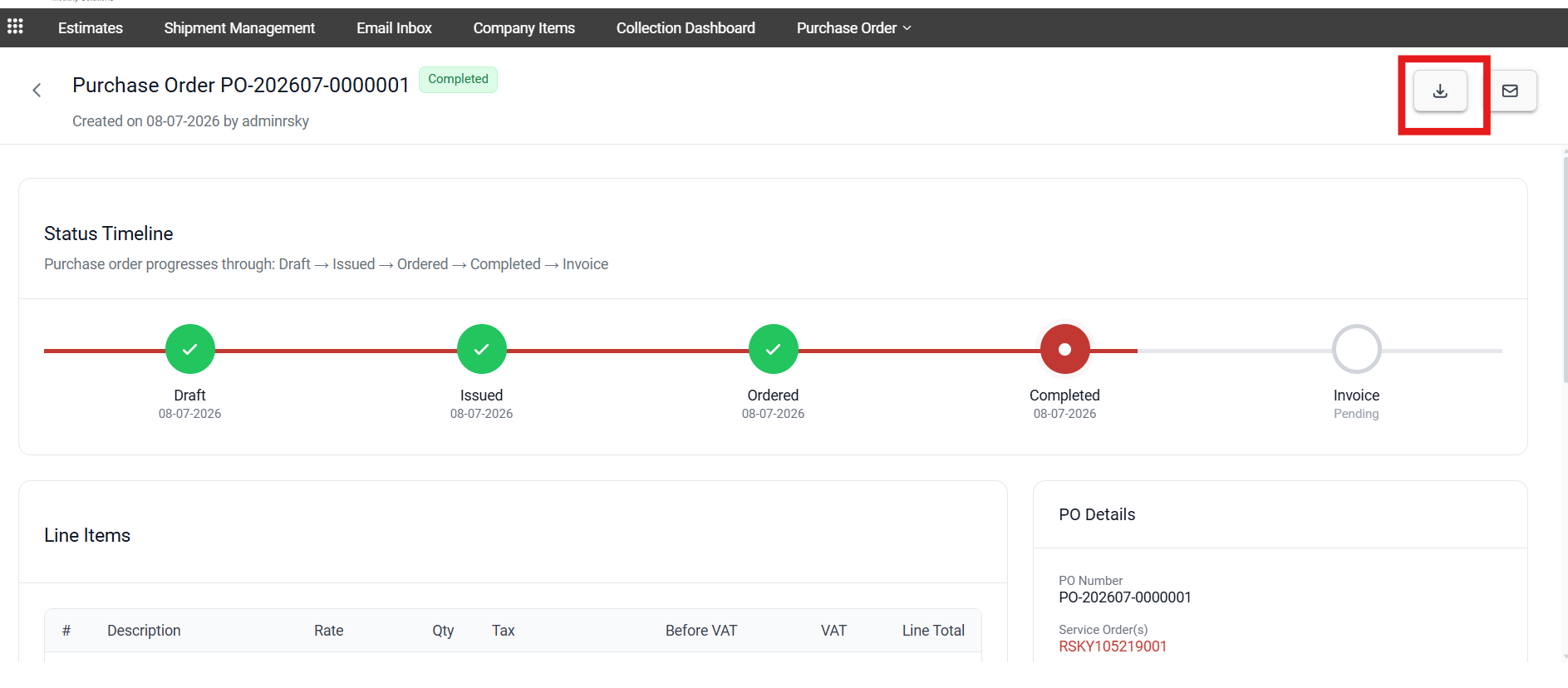
- Click the Download icon.
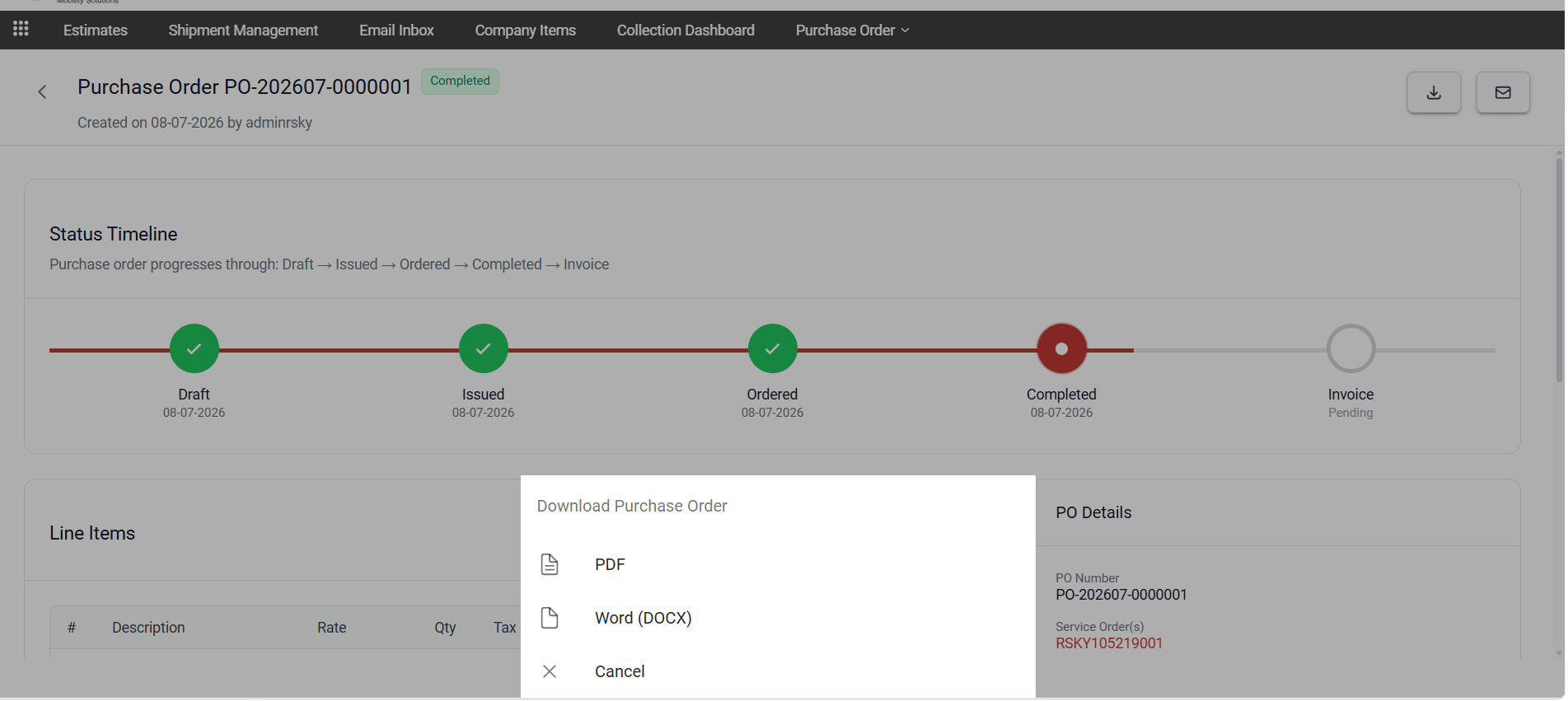
- A menu of available actions will be displayed.
Available options include:
- Download as PDF
- Download as Word
- Cancel
Step 3: Download the Purchase Order
To download the Purchase Order:
- Select either PDF or Word format.
- The system generates the document.
- The file is automatically downloaded to your device.
Step 4: Access the File from the File Cabinet in RedSky
After the download is generated:
- The Purchase Order document is automatically stored in the RedSky File Cabinet.
- Navigate to the Order number > File Cabinet if you need to access the PO file.
- Locate the corresponding Purchase Order document.
- Open, view, or download the document as required.
Summary
Downloading a Purchase Order allows users to:
- Generate PO documents in PDF or Word format.
- Save a local copy of the Purchase Order.
- Access previously downloaded Purchase Orders through the RedSky File Cabinet.
- Maintain a centralized record of generated PO documents for auditing and reference purposes.
Was this article helpful?
That’s Great!
Thank you for your feedback
Sorry! We couldn't be helpful
Thank you for your feedback
Feedback sent
We appreciate your effort and will try to fix the article