Storage Billing Rate Update
A new interface has been introduced to simplify and streamline bulk billing rate updates for Storage Service Orders linked to selected Storage Charges Contracts and Charges.
Feature Overview:
Navigation: Access via Finance → Storage Billing Rate Update.
Search Criteria:
Choose a Contract.
Select one Charges.
Bill Through From
Bill Through To
Click Preview List to display matching Service Orders.
Search Results Display:
A results grid now displays:
Service Order Number
Charge Code
Current Rate
Selection Option (checkbox per row with “Select All” at the top)
Rate Update Action:
Users can enter a new Rate value under Billing Page < Storage / Valuation Section in a single input field "Rate".
After selecting one or more Service Orders (or using “Select All”), clicking Submit will update the Rate for all selected Service Orders to the entered value.
Confirmation Popup:
Upon clicking Submit, users are prompted with a confirmation message:
“Do you want to update the rates?”
Options:
OK → Proceeds with the update.
Cancel → Cancels the operation without changes.
This enhancement allows users to manage rate updates across multiple service orders efficiently, reducing manual effort and minimizing data inconsistencies.
How can you add the menu "Storage Billing Rate Update"
Go to Security >> Menu Permission
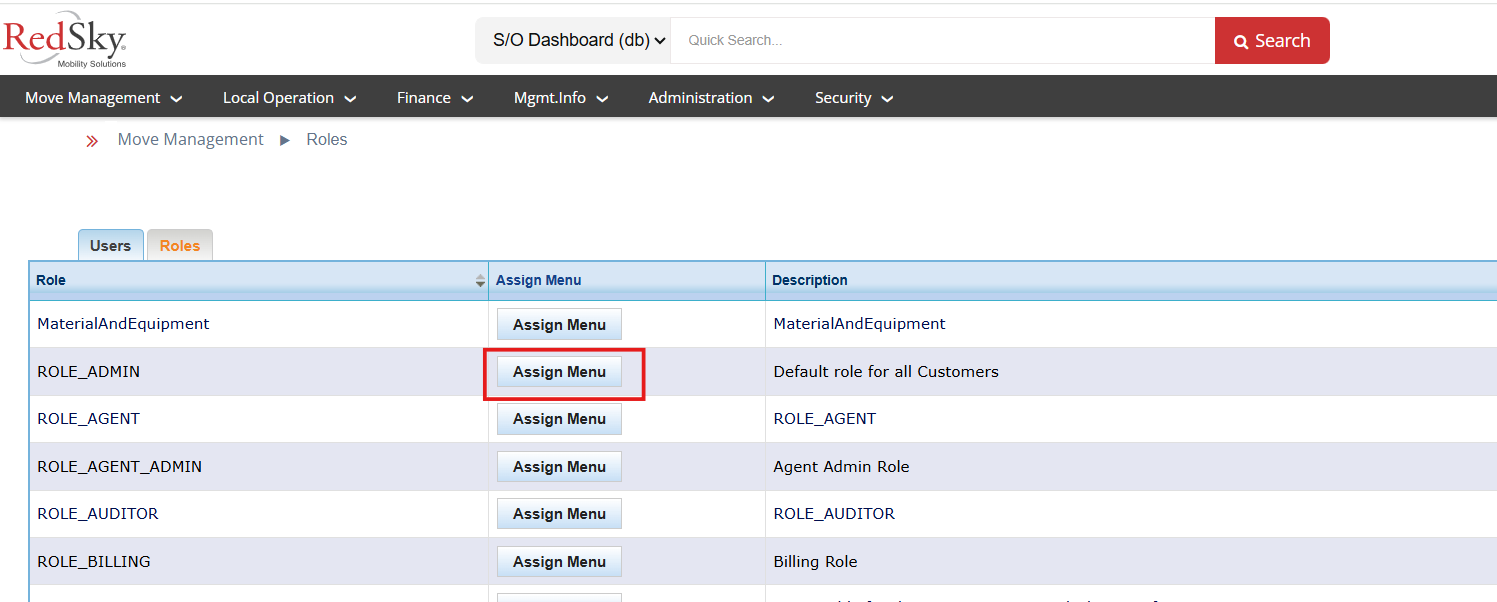
Click on Assign Menu Button
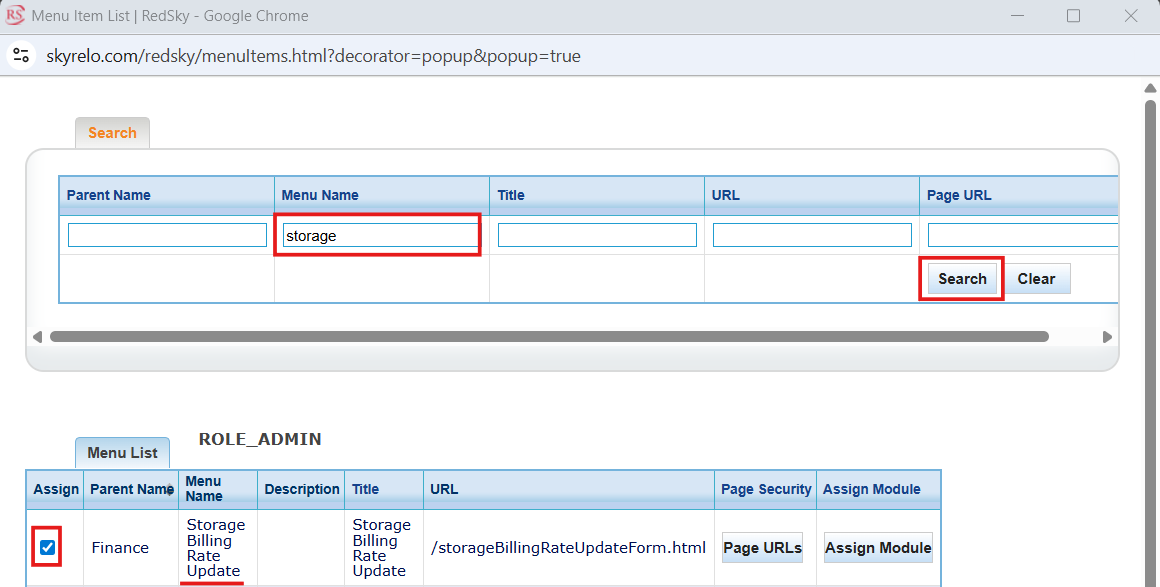
Search for "Storage Billing Rate Update" and Select
Logout and Login back, you will see the menu.
Note: In case you are not able to locate the URL, reach out to us at support@redskymobility.com
Was this article helpful?
That’s Great!
Thank you for your feedback
Sorry! We couldn't be helpful
Thank you for your feedback
Feedback sent
We appreciate your effort and will try to fix the article